1. The loyalty program
A returning customer usually costs less than a new one. You are not paying to advertise to them, they do not need convincing about your coffee, and the difference between somebody who comes once a month and somebody who comes three times a week weighs heavily in the month's result.
That is where the loyalty program starts, and it is in essence a customer return system: you give the customer a concrete reason to pick your place when there are three on the same walk.
The paper punch card has done this for thirty years and still works, but it can be lost or damaged and, most importantly, it does not give you data about customer behaviour. You do not know how many customers you have, how often they come or how many rewards you gave.
A digital loyalty card fixes exactly that. It lives on the customer's phone, where it is much harder to lose, and you can see what is happening in the reports. Digital loyalty cards also mean you can change the offer without reprinting anything.
You have two mechanics to choose between:
- Stamps, the 5+1 kind. Simple to explain, suitable when you mostly sell coffee and the tickets look alike.
- Points or cashback. The reward grows in proportion to what the customer spends, suitable when you also sell brunch, cakes or beans by the bag.
This is where Stampino comes in, doing exactly that, a loyalty program for coffee shops: the card reaches the customer's phone from a single scan, with no account and no password, it can be kept in Apple Wallet or Google Wallet, and you choose in the panel whether to run stamps or points, which threshold to set and which reward to give. The birthday reward appears on the card automatically.
If you want to see what that looks like in practice, we have twenty ready-made configurations and a list of the mistakes that stop a program working.
If you would rather have no app at all, there is also the version where the card lives only in Apple Wallet and Google Wallet.
2. The POS system
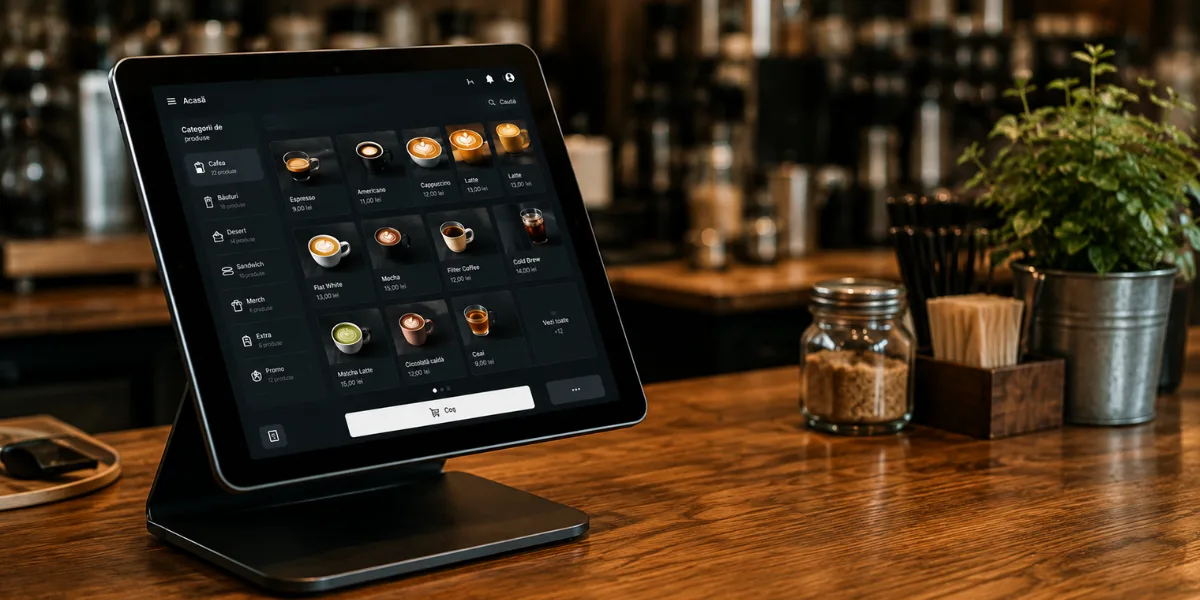
The POS is the modern till: it takes the money, holds the stock and closes the day. In a well-run coffee shop it is the system where compromises show up fastest, because every minute lost there shows up in the queue.
What it should cover:
- Fast selling, a touch interface and products one tap away.
- Stock and recipe management, so you know how much milk and how many beans you go through.
- Reports by day, by product and by employee.
- Separate accounts per employee, so you can see who rang up what.
- Fiscal receipts and whatever electronic invoicing your country requires, so you are not running two systems.
In Romania, where Stampino is based, TitanPOS can be a starting point for coffee shops: cloud-based, with stock and recipes, a kitchen display, real-time reports, primary accounting and e-invoicing, plus multi-location management if you open a second place. It has three packages and the price is quoted on request. In your own market, look for the same list rather than the same name: fiscal rules are local, and a POS that does not handle yours is not a candidate.
A practical criterion in the choice: how fast a new employee can ring up an order on their first day, rather than the length of the feature list.
3. Connecting the POS to the loyalty program
This is where many coffee shops lose the loyalty program, and it is not the program's fault.
The usual flow looks like this: the barista rings the order into the POS, takes the money, then has to open a second app to scan the customer's card. At eight in the morning with five people queuing, the second step is often skipped. Not because anybody refuses, but because there is no time.
One solution is for the stamp to leave from the POS itself, at the moment of payment.
Stampino has an API for that, available on the Premium plan. The POS sends a single request to Stampino when the receipt closes, and from there everything that would have happened by hand happens:
- The stamp or the points are added to the customer's card.
- The reward is redeemed, if they have reached the threshold.
- The birthday reward is granted, if it applies.
The barista does not have to open a second app. The API documentation and the access keys are in the admin panel, so whoever maintains your POS has what they need to build the integration.
It is worth being clear about what you gain: not new features, but the fact that the program actually gets used during the busy hours, which are exactly the hours you need it in.
4. The Google Business Profile
It is free, it takes an hour and it has one of the best effort-to-result ratios on this whole list.
When somebody searches "coffee shop near me", Google shows the map before any website. The profile is what puts you on Google Maps, and without one your business may not appear at all in that search.
What to fill in, in order of importance:
- Opening hours, kept up to date including holidays. It is one of the most common complaints in reviews.
- The exact location on the map and, if you are in a courtyard or upstairs, a note in the description.
- Phone and website.
- Real photos taken in daylight: the room, the counter, two or three products. No renders, no stock images.
- The right category: coffee shop, not restaurant.
The address on the back of the loyalty card opens Google Maps directly, so a customer who already has the card has directions to you one tap away.
Update the hours when you change them. A customer who finds the door shut at a time Google said you were open may leave a one-star review, with good reason.
5. Google reviews
Between two coffee shops at the same distance, the rating weighs heavily. What matters is less the rating itself than the number behind it: a 4.7 with 300 reviews usually inspires more confidence than a 4.9 with 12.
Three things that influence the rating:
- Ask at the right moment, which is right after a customer tells you directly they liked the coffee. Not with a poster, with a direct question.
- Reply to all of them, including the good ones. A short reply with no template behind it reads better than ten identical ones.
- On bad reviews, reply once, calmly and specifically. Whoever is reading usually looks less at the complaint and more at how you reacted.
One channel you already own: the back of the loyalty card. You can put any link there, including the one to your review page. The customer who opens the card to check how many stamps they have left sees it anyway, and those are exactly the customers worth asking, because they come often and they like what they find.
Do not buy reviews and do not have staff write them. Google has mechanisms that detect them, and the risk is losing the profile.
7. Online orders and delivery
Not every coffee shop needs delivery. If you mostly sell coffee to people from the neighbourhood, delivery changes your numbers very little. If you sell brunch, cakes or beans by the bag, it does.
These are two different things and worth keeping apart:
- The order: where the customer picks the items and pays.
- The delivery: who takes the bag to the door.
There are two models for the second one, and the difference matters more than the brand. A courier aggregator charges you per delivery and leaves the customer relationship with you. A food marketplace brings you new customers but keeps a considerable commission on every order. With the aggregator you pay for transport; with the marketplace you pay for access to customers. Which option is more suitable depends on how much of your turnover comes from new customers and how much from customers who already know you.
CityEats is an example of the first model in Romania: pay per delivery with no monthly fee, track the run on a map, several deliveries in parallel, couriers who can carry a card terminal, weekly billing. Every market has its own equivalents in both categories, so pick by model first and by name second.
Online ordering and loyalty do not exclude each other. The customer who orders often is exactly the one you want on the card, and if your POS is integrated the online order can leave the stamp without anybody doing anything extra.
8. Your own website
Plenty of coffee shops have only Instagram and consider the matter closed. In practice three things stay uncovered.
First, the account is not yours. A suspension or an algorithm change can limit your only channel overnight.
Second, a social page rarely shows up in Google for a search like "specialty coffee shop" plus your city, while a site on your own domain can.
Third, a social page answers the concrete questions less well: the hours, the address, whether there is space to work with a laptop, whether dogs are welcome, whether you have dairy-free options.
You do not need much. A page that loads fast with the hours, the address, the menu, a few good photos and a phone number is enough for many coffee shops. Your own domain costs a few euros a year.
Link the site to the Google profile and back, and put the QR menu on the site so you are not maintaining two menus.
In short: what to pick for each need
- Loyalty program: Stampino, stamps or points, card in Apple Wallet and Google Wallet.
- POS system: cloud, with stock, recipes and your country's e-invoicing. TitanPOS in Romania.
- POS and loyalty integration: the Stampino API, on the Premium plan, so the stamp leaves from the till.
- QR menu: Stampino, as a separate product, with allergens and several languages.
- Delivery: a courier aggregator paid per delivery, such as CityEats in Romania.
- Google visibility: a Google Business Profile, free.
- Website: your own domain, one simple page with hours, address and menu.
- Social: Instagram for the product, Facebook for announcements.
If you are starting from zero and want a possible order: the Google profile on day one, the POS before opening, the loyalty program in the first month, the QR menu when price changes become frequent, the rest after that.
Start with the loyalty part
You pick the offer type, the threshold and the reward in the admin panel, and the card reaches the customer's phone from a single scan. If you already have a POS, the API integration comes with the Premium plan.
Set up your loyalty programFrequently asked questions
Where do I start if I am opening a coffee shop now?
The Google Business Profile on day one, because it is free and it puts you on the map. The POS before opening, because without it you cannot take money. The loyalty program in the first month, while customers are new and forming the habit. The QR menu and the website can wait.
Set up your loyalty programDo I need everything on this list?
No. The POS and the Google profile are difficult to avoid in practice. The loyalty program is usually justified from the first month in a coffee shop with returning customers. Delivery makes sense mainly if you sell something beyond coffee in a cup.
What stamp threshold should I set in a coffee shop?
Pick a threshold your regular reaches in about four weeks. In many coffee shops that means 5+1. The details are on the coffee shop guide.
See the coffee shop guideIs it worth integrating the POS with the loyalty program?
It is worth it mainly if you have a queue at peak. Without the integration the stamp gets given when it is quiet and skipped when it is busy, which is exactly the wrong way round. The integration comes with the Premium plan and is built through the API by whoever maintains your POS.
Does a QR menu replace the printed one?
In practice many coffee shops keep a few printed menus for the guests who ask for one and move the rest to QR. The QR menu solves price changes and allergens for you, it does not forbid paper.
Does the customer have to install anything for the loyalty card?
Not necessarily. They can scan the QR code and get the card straight on their phone, with no account and no password, and the card can live in Apple Wallet or Google Wallet. The Stampino app additionally gives them the list of places in town and the notifications. If they want, they can link an account later with Apple, Google or Facebook.
What does all of this cost per month?
The Google profile and the reviews are free. A domain is a few euros a year. The POS is quoted per location. A Stampino plan with a listing in the app starts at 36.50 EUR a month, plus VAT where applicable, and the Premium plan, the one with the API, is the top tier. Delivery is paid per run. The cost of the plan does not grow with the number of enrolled customers.
See all plansSee also coffee shops, restaurants, stores, salons, gyms, car washes, wallet-only card, digital or punch cards, common mistakes, 20 loyalty program ideas, customer retention, features or the digital QR menu.