Why platform customers don't come back on their own
Delivery platforms bring you orders, but the relationship with the customer stays theirs:
- You have no direct channel: once the order has left, you can't send the customer anything.
- Every order starts from scratch: the customer compares menus, prices and discounts again, and you're just one of the options.
- Nothing remembers that they've ordered from you before: the fifth order looks exactly like the first.
A loyalty card fixes exactly that part. The customer sees their progress, and a reward two orders away is a concrete reason to pick your restaurant again.
How it works: a stamp with every order
Take an example: the offer on the card is "Buy 5 burgers, get one free", and every bag gets a card with a QR code.
- The first order. The customer finds the card next to the receipt and scans the code with their phone's camera. Stampino puts your loyalty card on their phone, with the first stamp on it.
- Orders 2, 3 and 4. Every bag has a new code, and every code adds another stamp. The customer sees on the card how many orders are left.
- The fifth order. The fifth stamp completes the card.
- The reward. They collect the free burger at the counter, where the cashier scans their card. If you deliver with your own couriers, the courier can scan it at the door too, with their phone and staff account.
Rough example: a customer who orders once a week reaches the reward in five weeks, and the whole time they have a reason to choose you. If their card is full, the stamps from the next codes wait in the app until they collect their reward.
Or a 25% discount that brings them to your place
Stamps get them to order again. A discount voucher can go one step further: it brings the delivery customer to your place, where you pay no platform commission and they see everything on your menu.
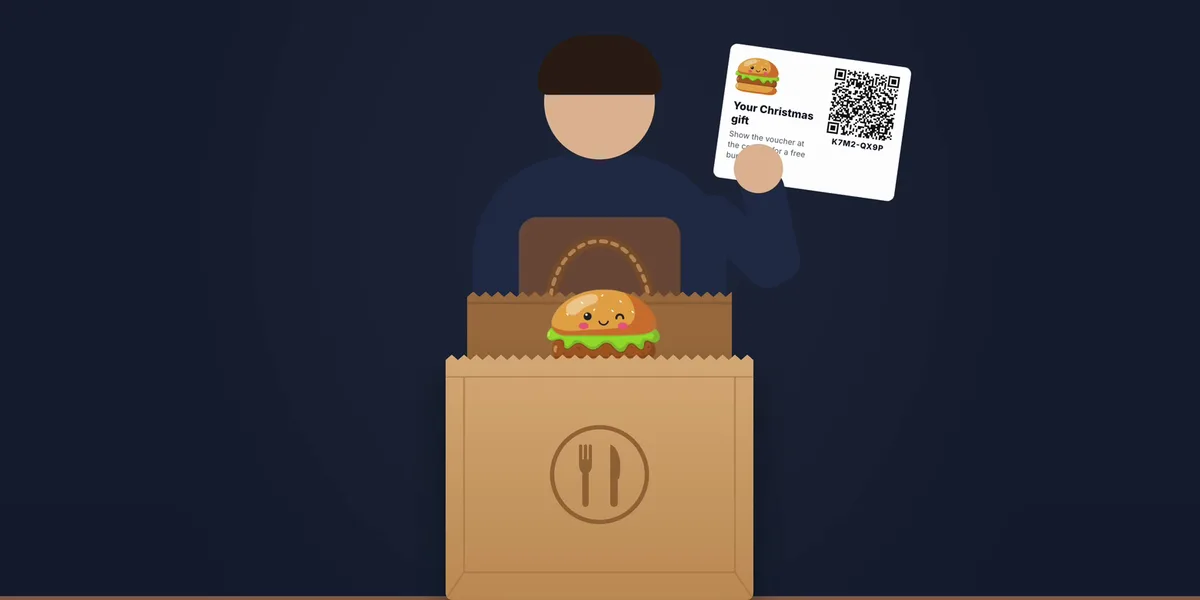
Example: put a card in the bag saying "25% off your first visit". The customer scans the code and gets the voucher in the Stampino app, and your loyalty card along with it. When they come in, they show the voucher at the counter, the cashier scans it, and you apply the discount at the till, like any other discount.
In Stampino:
- A separate campaign from the stamps one, with a reward you choose: put the discount in the title and the conditions in the description, for example that it applies once, for dining in.
- Once per customer, if you want each customer to get the discount only once, even if they find several codes in their bags.
- A short usage period, for example 14 days from when it's added, so the discount is a reason to come in over the next few days, not someday.
If you want the discount to work for customers without the app too, choose unique codes with every order and turn on Can be used without the app: that option isn't available for Once per customer campaigns.
You can put both cards in the same bag: the stamp code for the next orders, and the discount for a visit to your place.
How to set up the campaign in Stampino
Everything happens in the Stampino panel, in a few minutes.
1. Create a campaign with unique codes, one with every order
In Vouchers, tap New campaign and choose unique codes. Leave the Once per customer option off: with it on, each customer could add only one code from the campaign, and the code in the second bag would no longer work for them.
2. Choose what it gives: stamps on your offer
Usually one stamp per order, on the same offer your counter customers use, so every order leads to the same reward.
3. Leave the campaign open
For an ongoing program, don't set an end date. The campaign can be paused or ended at any time.
4. Generate the codes and print them
Up to 500 codes at a time, in a print-ready PDF: cards with your logo or just the QR codes, at the size you choose, on A4 sheets with cut lines or one per page. You can also print them on sticker paper and stick them straight onto the box.
5. Put one code in every bag
Whoever packs the order adds the card next to the receipt. One code per order: each code adds its own stamps.
Delivery platforms or your own delivery
On Bolt Food, Wolt or Glovo, the voucher brings the customer into your loyalty program: after the first order they have your card on their phone, and you can send them push notifications about a new product, a seasonal menu or a weekend offer.
With your own delivery, by phone or on your website, everything stays with you, with no platform commission, and the courier can hand over the reward at the door too.
Before you put anything in orders that came through a platform, check your contract for which promotional materials you're allowed to include in the bag: the rules differ from one platform to another.
And for customers who don't want the app
The stamps version works in the Stampino app. For customers who don't want to install anything, you can put a voucher with a reward in the bag, for example the 25% discount above or a dessert on their next visit, with the Can be used without the app option. The customer shows the printed voucher at the counter, and the cashier scans the code on the paper. Each code works once.
A voucher used on paper doesn't put your card on the customer's phone. That's why, for repeat orders, the stamps version remains the best one.
How to tell whether it's working
The campaign's stats show how many codes from the bags were added, how many new customers it brought, meaning customers who didn't have your card, and how many of them installed the Stampino app for your code. The loyalty card shows how many stamps were given and how many rewards were collected. For the discount voucher, the stats also show how many were used, which is how many delivery customers came to your place.
To compare channels, create one campaign for each: one for platform orders, one for your own delivery. For more ideas, from seasons to partnerships, see the 10 voucher campaign ideas.
Put the first code in the bag
Create the campaign in a few minutes in the Stampino panel and print the codes straight from there. Vouchers are included in the Standard, Premium and Lite Plus plans.
Register your businessFrequently asked questions
Which plans include vouchers?
The Standard, Premium and Lite Plus plans. Standard and Lite Plus include 500 generated codes a month for each location, and Premium 1,000. If you deliver more than that, write to us.
See all plansAm I allowed to put codes in Bolt Food, Wolt or Glovo orders?
It depends on your contract with the platform. The rules on promotional materials in the bag differ from one platform to another and can change, so check the terms before you start.
How does a customer who only orders delivery collect their reward?
They collect it at the counter, where the cashier scans their card. If you deliver with your own couriers, the courier can scan their card at the door, with their phone and staff account.
How is the 25% discount applied?
The cashier scans the voucher, from the app or from the paper, and Stampino marks it as used, so it can't be used a second time. You apply the discount itself at the till, like any other discount.
Can I give more stamps for a large order?
Yes, with a second campaign that gives two stamps per code. Whoever packs the order picks the right card for the bag.
Does the customer need to create an account?
No. The Stampino app is free and asks for no account or password. If they scan the code without the app, they land in the App Store or Google Play, and the stamp is waiting after installation.
See also coffee shops, restaurants, stores, salons, gyms, car washes, digital vouchers, wallet-only card, apps for coffee shops, digital or punch cards, 20 loyalty program ideas, 10 voucher campaign ideas, common mistakes, customer retention, vip membership card for coffee shops, loyalty program for coffee roasters, loyalty program for barbershops, features or the digital QR menu.